One of the impediment faced by musical theater producers (especially local theater producers) is the cost of hiring an orchestra. Many times – and I say this with experience – the pit orchestra is the last to be hired and the first to go.
To solve this (and to make more money) publishing and licensing houses like Musical Theater International (MTI) and Concord Theatrical are now offering rehearsal and performance tracks which, as it sounds, eliminates the need for live musicians completely.
Another offering by MTI is KeyboardTEK. With more and more shows being orchestrated with multiple keyboard parts, KeyboardTEK gives theater the option to purchase pre-programmed keyboard patches that coincide specifically with the show’s keyboard book(s). The cost is currently $450 per keyboard book unless you purchase multiple books. Then there is a discount that kicks in.
KeyboardTEK service is simple but only available to Mac users because the files are only for Mainstage 3.
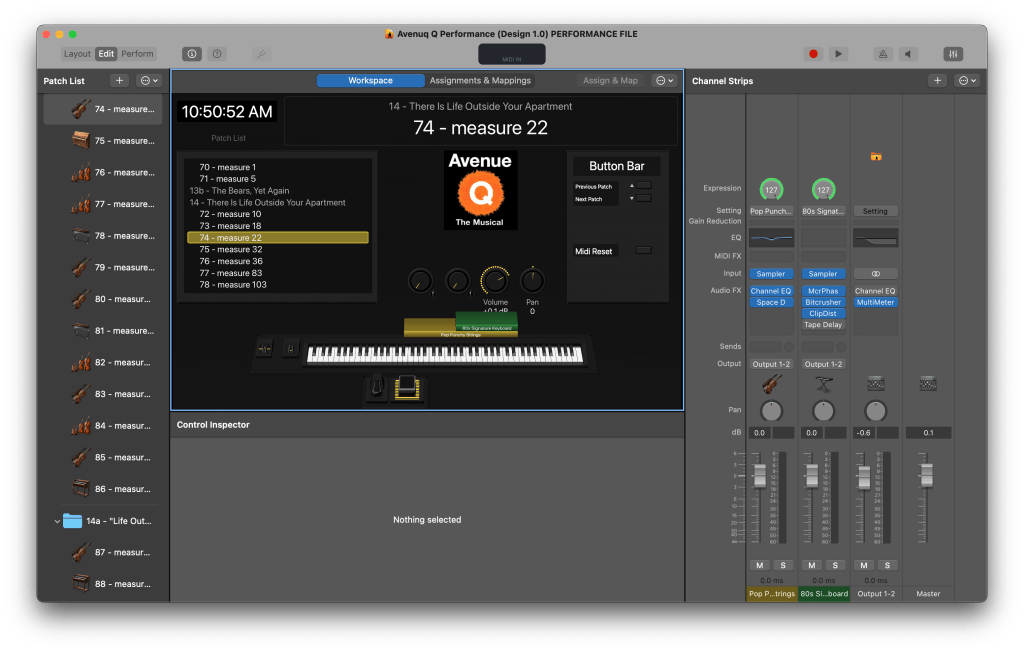
Having worked in theater for more than 15 years, I’ve been programming and using Mainstage 3 for years. When designing a show in Mainstage 3 I’ve developed a template that I like to start with that has all the main components:
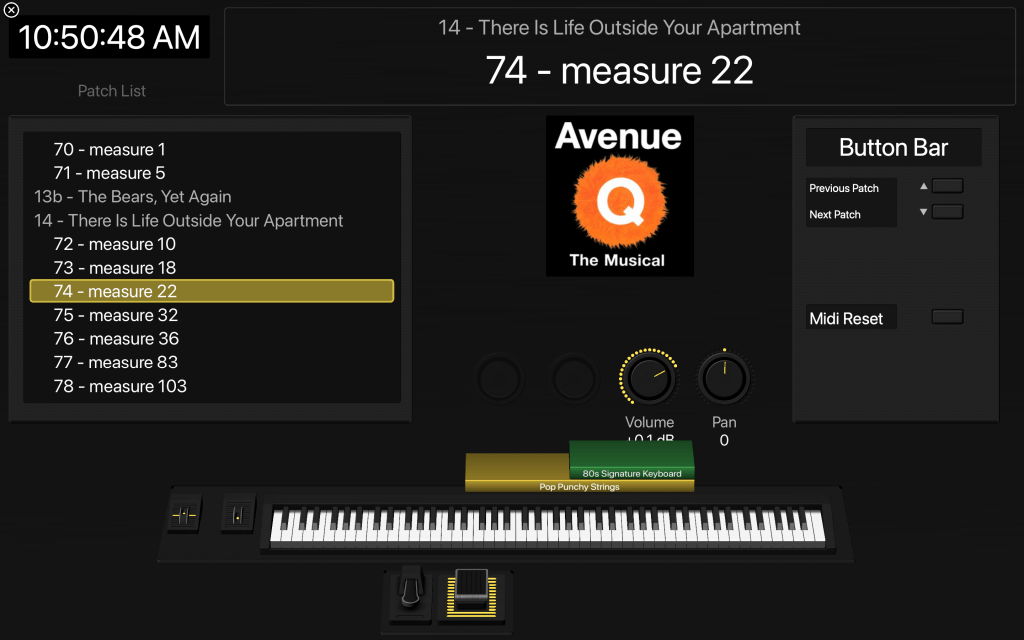
- Patch List
- Current Patch
- Clock (I like to keep time during performances for personal use.)
- Visualization of my keyboard and layers.
- Pedals (I typically use two pedals – sustain and volume – but I’m slowly transitioning to a pedal switch for patch changes. I current program and colored pad on my keyboard to change patches.)
- A Button Bar (depending on the show I’m working on, this area might be filled with sound effects triggers, tempo tap, etc.)
- Some knobs that I’ll assign different commands to (volume, fade, pad, etc.)
Here’s two screenshots of my standard template layout. Like I said, each show I program is different. This is my base design that I customize for each performance.
I’m happy to share my template with anyone. Send me an email at david@davidestevez.com and I’ll share it.
Thanks for reading and keep playing!
 davidestevez.com
Leave a comment